Organizations
Organizations group contacts by company or institution. The organization pages let you track companies across your network and understand your relationships at the organizational level.
Organization List
The /organizations page displays all organizations in a sortable, searchable table.
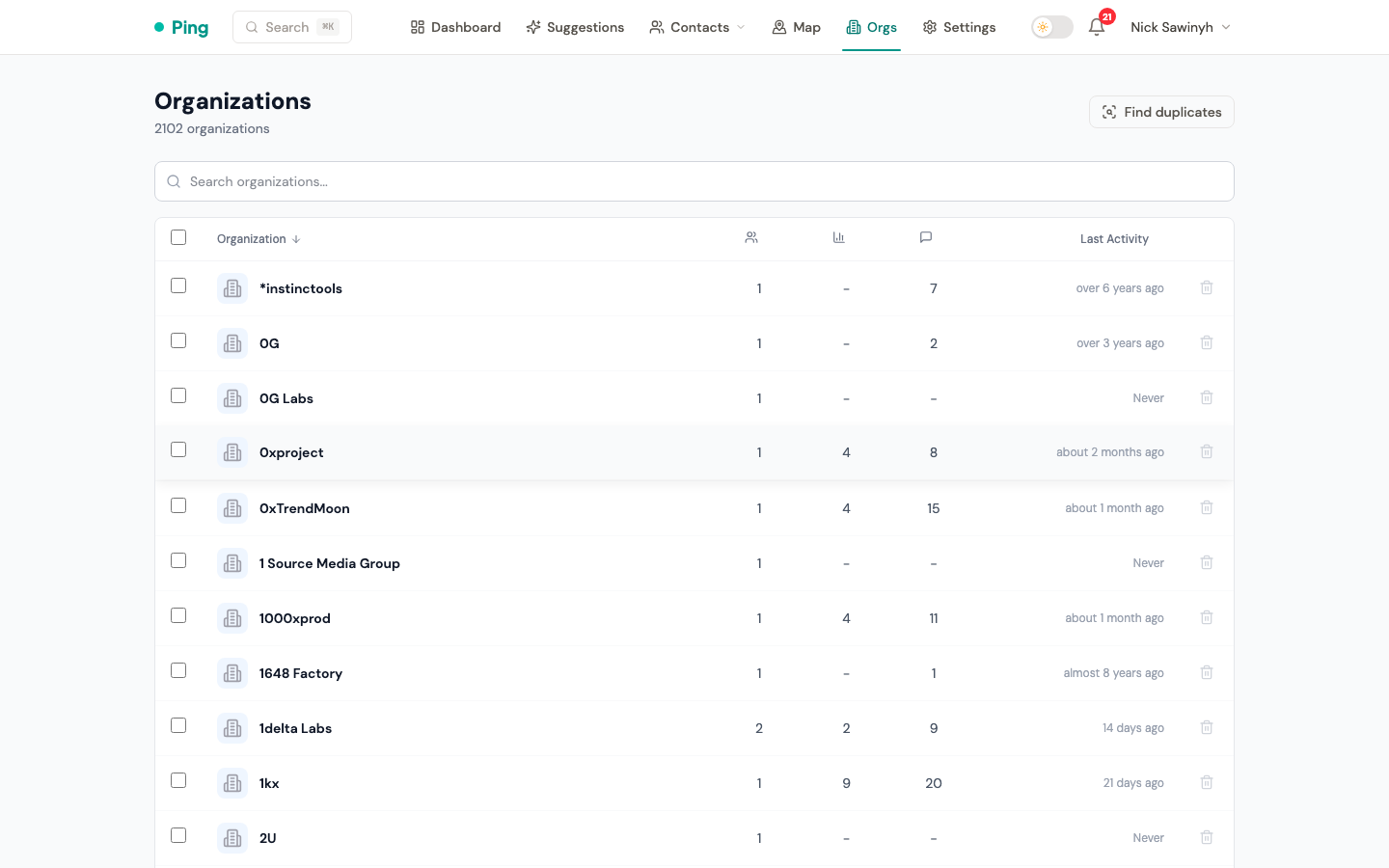
Table Columns
Each row shows:
- Name with a domain favicon (fetched from the organization's website domain).
- Contacts -- number of linked contacts.
- Avg Score -- average relationship score across all contacts in the organization.
- Interactions -- total interaction count.
- Last Activity -- date of the most recent interaction with anyone at the organization.
Search
A search field filters organizations by name.
Sorting
Click any column header to sort the table by that field in ascending or descending order.
Auto-Hiding
Organizations with zero active contacts are automatically hidden from the list to reduce clutter. Archived contacts do not count toward this threshold.
Actions
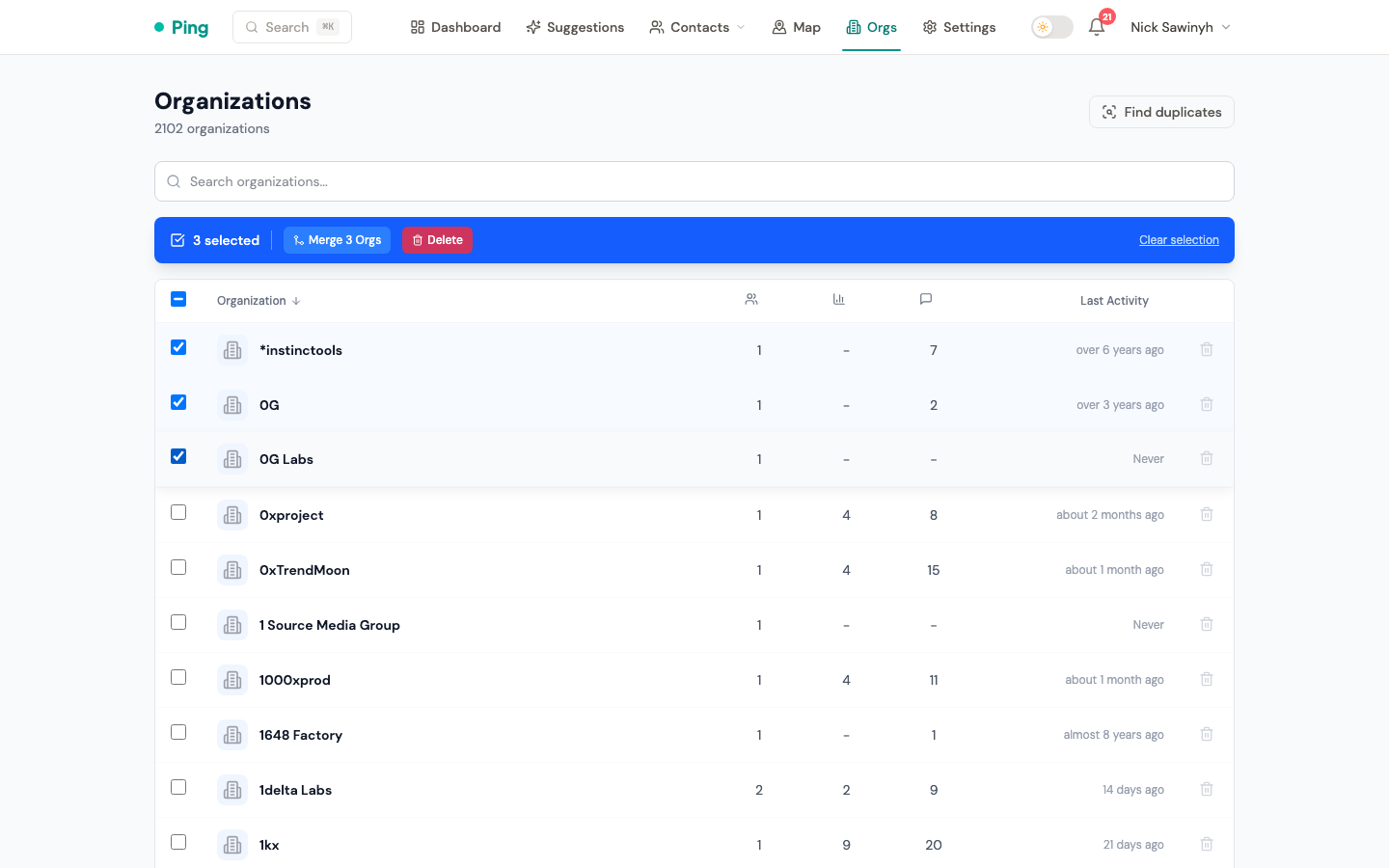
- Select and Merge -- select multiple organizations and merge them into one, consolidating all linked contacts.
- Per-Row Delete -- delete an individual organization directly from the list.
- Bulk Actions -- perform operations on multiple selected organizations at once.
Organization Detail
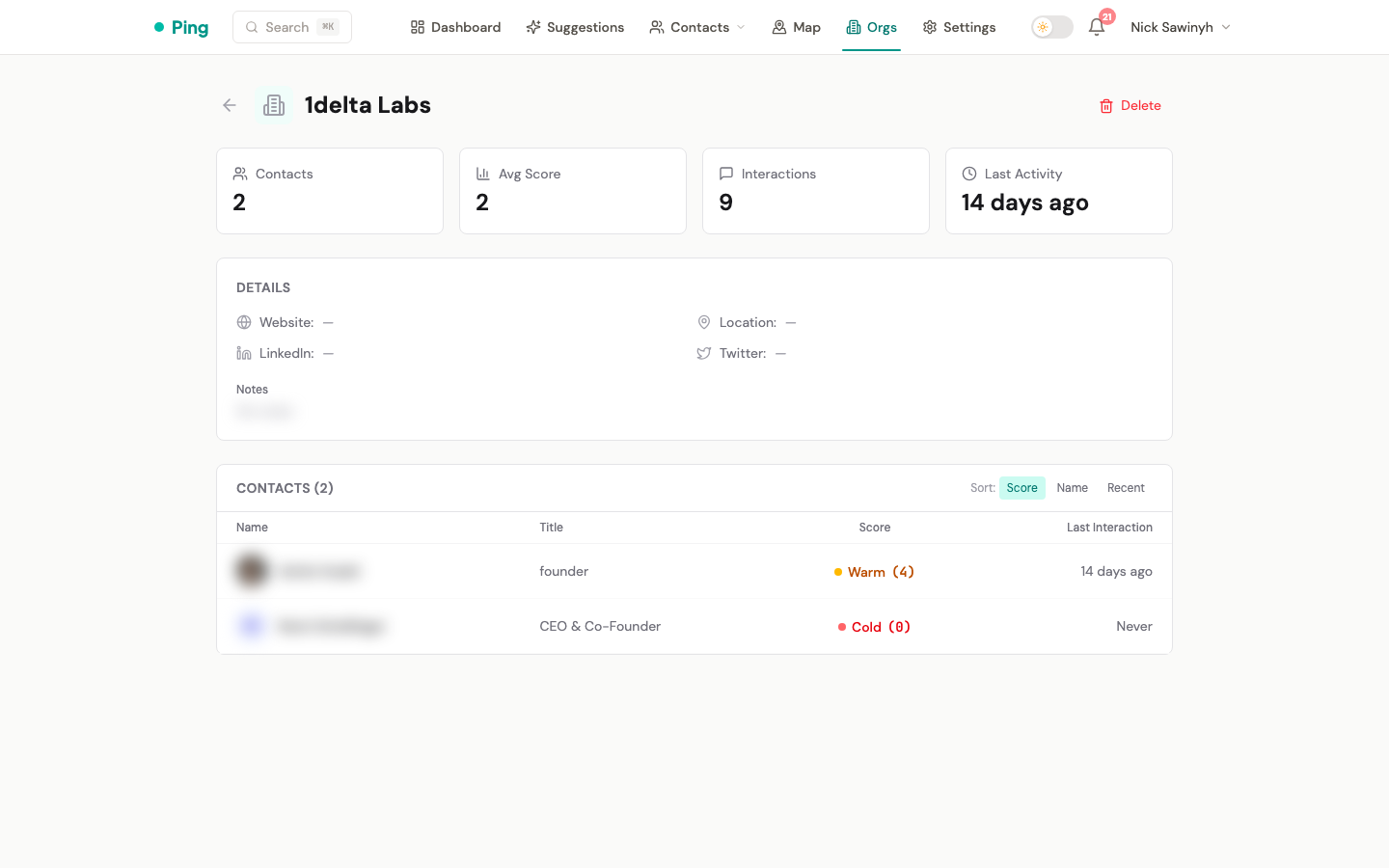
The /organizations/[id] page provides the full profile for a single organization.
Inline Editing
The following fields can be edited inline:
- Website -- falls back to displaying the domain if no full URL is set.
- Location
- LinkedIn URL -- rendered as a clickable link.
- Twitter handle -- rendered as a clickable link to the Twitter profile.
- Notes -- free-text field for additional context.
Organization Stats
Key metrics are displayed using data from a materialized view that is refreshed hourly:
- Total contacts
- Average relationship score
- Total interactions
- Most recent activity date
Contacts Table
A table lists all contacts linked to the organization. Each row includes the contact name and a relationship score badge for quick assessment.
External Links
Website, LinkedIn, and Twitter fields are rendered as clickable links that open in a new tab.
Deleting an Organization
Deleting an organization unlinks all associated contacts but does not delete the contacts themselves. The contacts remain in your CRM without an organization association.