Contact Management
Contacts are the core entity in PingCRM. The contact list and detail pages let you browse, search, edit, and interact with your professional network.
Contact List
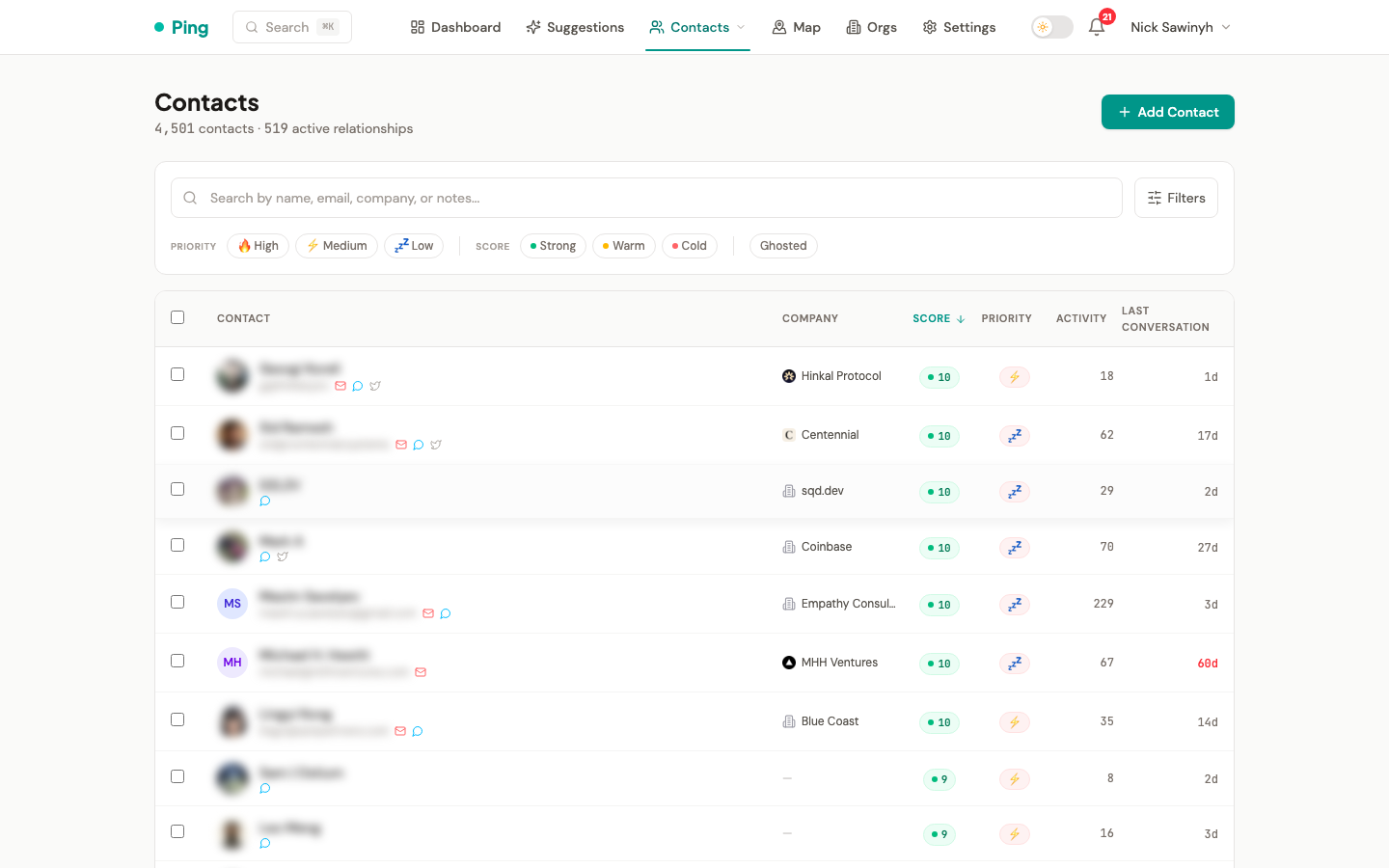
The /contacts page displays all contacts in a searchable, sortable, paginated table.
Search and Filtering
- Full-text search across contact names, emails, companies, notes, and social handles. A leading
@is ignored, so@usernameandusernamefind the same contacts. Results are ranked by relevance: exact name prefix matches rank highest, followed by partial name matches, company/title matches, social handle matches, then other fields. - Filter by tags to narrow results to specific groups.
- Filter by source (Gmail, Telegram, Twitter, LinkedIn, CSV import, manual entry).
- Filter by relationship score tier: strong (8-10), active (4-7), or dormant (0-3).
- Filter by priority level (high, medium, low). Archived contacts are excluded by default and shown via a separate archived toggle.
Sorting
The list can be sorted by:
- Relationship score (default)
- Date added
- Last interaction
- Activity (interaction count)
- Company (alphabetical)
- Upcoming birthday
- Priority level
- Most overdue
Pagination
Results are paginated to keep the interface responsive. Navigate between pages using the controls at the bottom of the list.
Bulk Actions
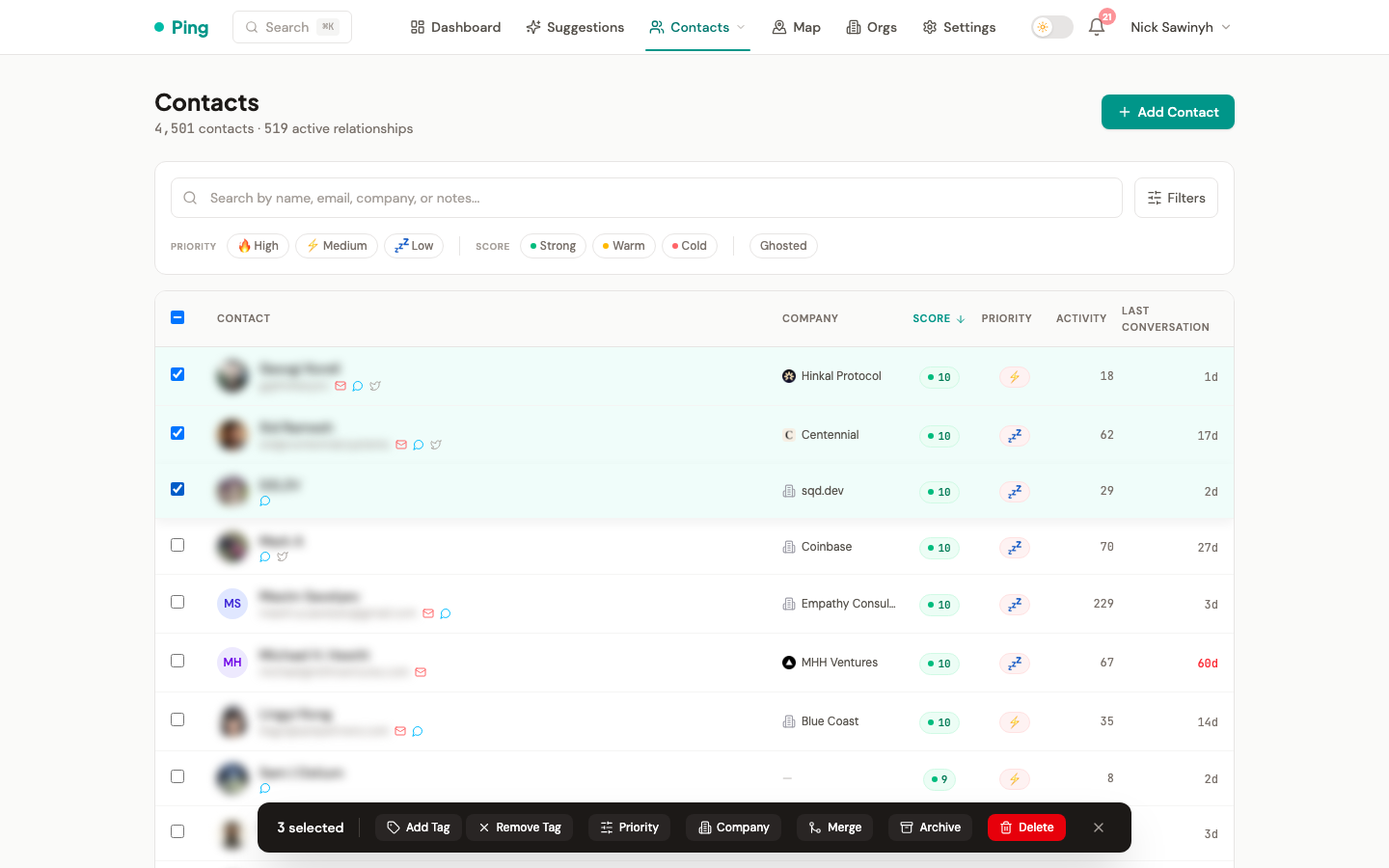
Select multiple contacts from the list to apply actions in one operation:
- Set priority level -- change priority for all selected contacts at once.
- Set company -- assign a company to multiple contacts.
- Add or remove tags -- apply tag changes across a selection.
- Archive -- move selected contacts to archived status.
- Merge -- combine duplicate contacts from the selection.
- Delete -- permanently remove selected contacts.
- Delete 2nd Tier contacts -- permanently remove all contacts tagged "2nd tier" (Telegram group participants you haven't directly messaged). A confirmation dialog shows the count before deletion.
2nd Tier bulk delete API:
GET /api/v1/contacts/2nd-tier/count-- returns{ count: N }, used by the confirmation dialog.DELETE /api/v1/contacts/2nd-tier-- deletes all 2nd tier contacts and their related data, returns{ deleted_count: N }.
Contact Detail
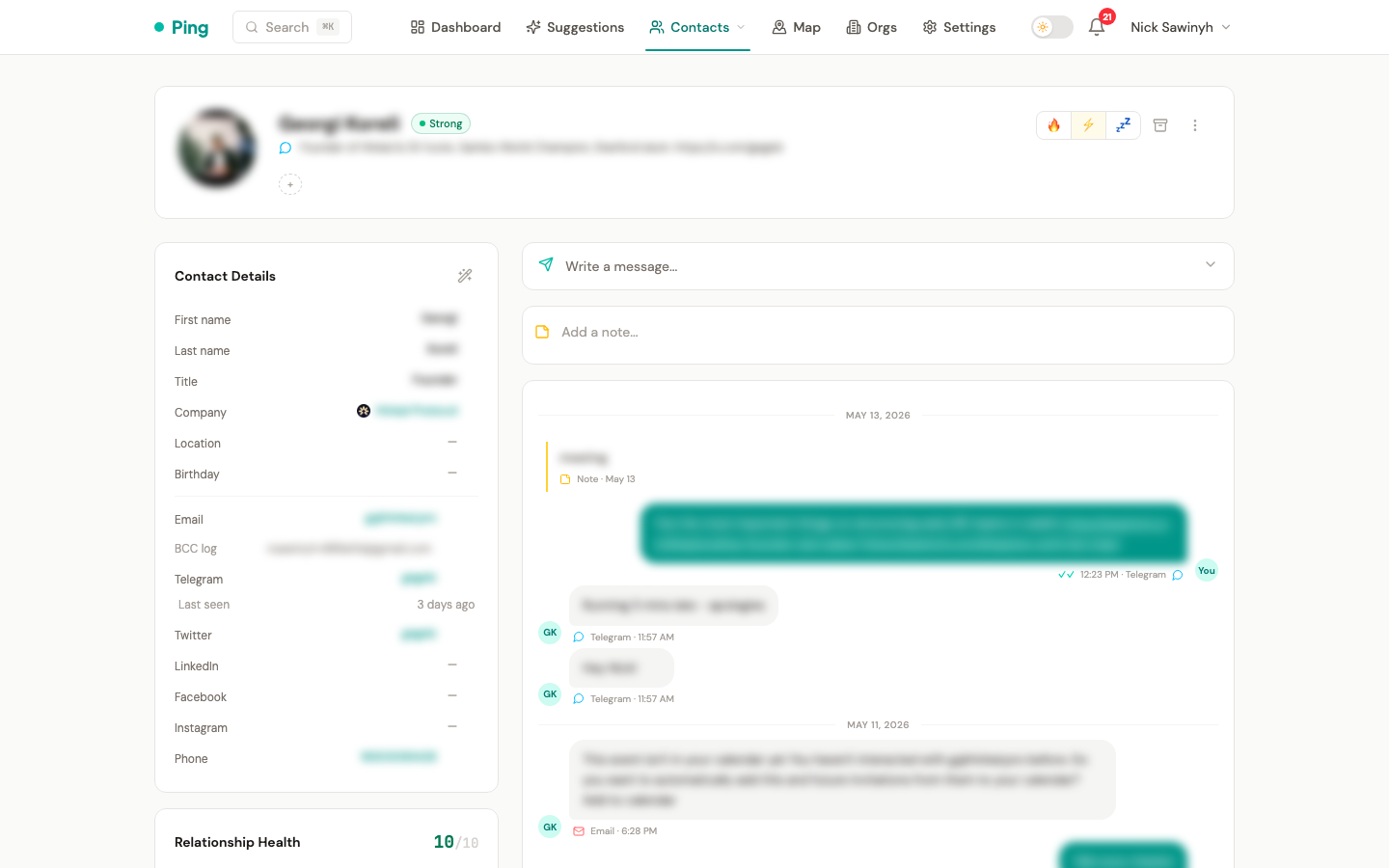
The /contacts/[id] page shows the full profile for a single contact.
Inline Editing
Contact fields can be edited inline -- click a field to modify it. Fields include name, email, phone, company, title, tags, priority level, and notes.
If you add an email (or Telegram username / Twitter handle) that already belongs to another contact, the save is rejected and a prompt offers to merge the two contacts instead of creating a duplicate.
Company Autocomplete
When setting a contact's company, an autocomplete dropdown suggests existing organizations so you can link contacts to the correct org without creating duplicates.
Priority Levels
Each contact can be assigned a priority:
- High -- key relationships that should never go cold.
- Medium -- important contacts to check in with periodically.
- Low -- casual connections.
- Archived -- contacts you no longer wish to receive suggestions for.
Relationship Score Badge
A visual badge displays the contact's computed relationship score, giving you an at-a-glance sense of how strong the connection is.
Message Composer
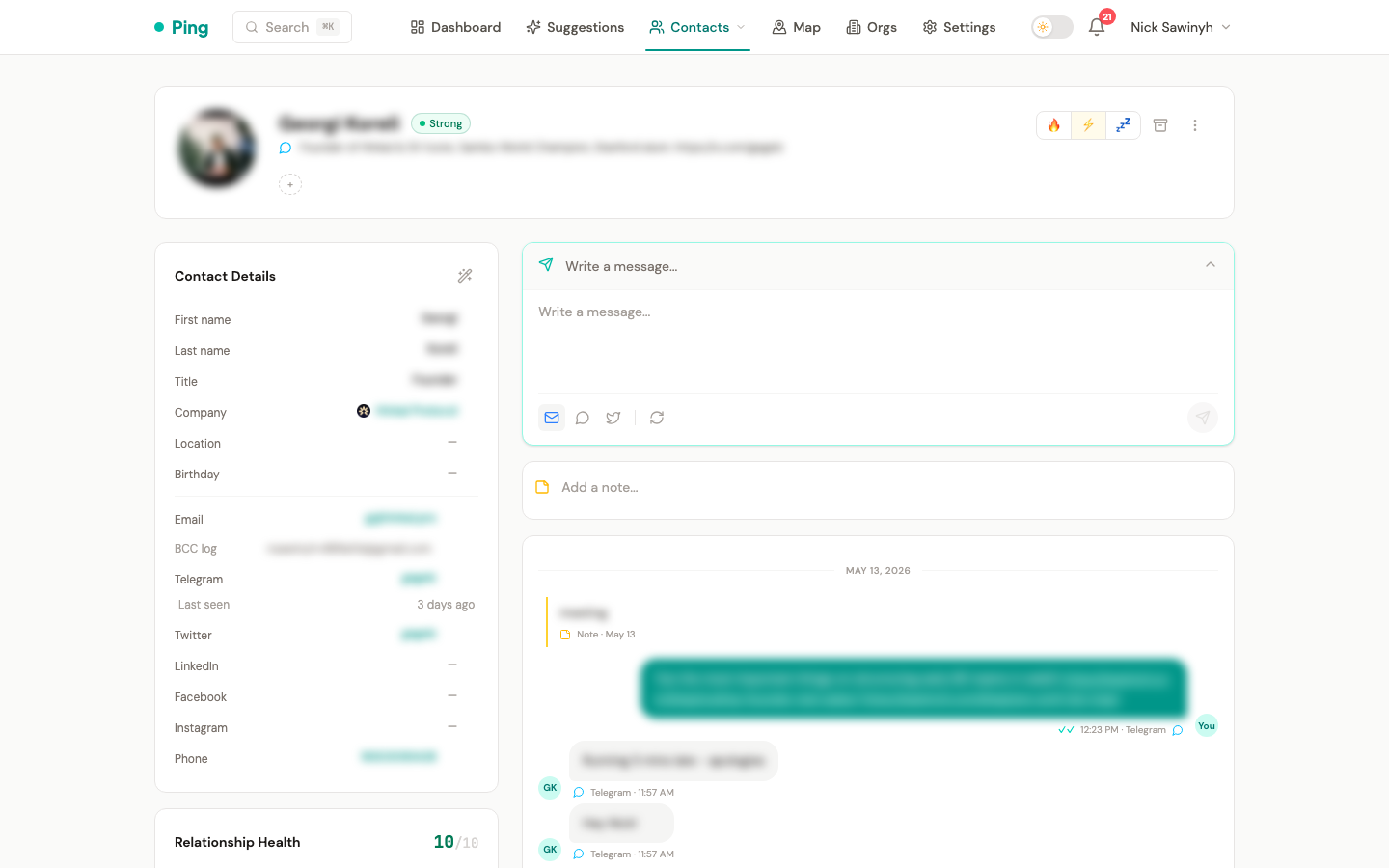
The composer uses AI to draft context-aware messages for any channel, based on the contact's profile and interaction history. Direct in-app sending, however, is currently supported for Telegram only:
- Telegram -- drafted messages are sent directly through this endpoint.
- Email -- send the draft from your own Gmail client; it is logged to the timeline via BCC addressing rather than sent through this endpoint.
- LinkedIn -- messages are sent via the Chrome extension, not through this endpoint.
- Twitter DM -- sending is not yet supported.
BCC Email Logging
Each contact has a unique BCC address (e.g., [email protected]). BCC this address when sending emails from any client to automatically log the email to this contact's timeline. See Gmail Integration — BCC Email Logging for details.
Interaction Timeline
A chronological timeline of all interactions with the contact, including:
- Sent and received messages across all platforms.
- Emails logged via BCC addressing.
- Manually added notes.
- Logged meetings.
- Bio change events (detected from Twitter and Telegram).
- Read receipts for Telegram messages (single check = delivered, double check = read).
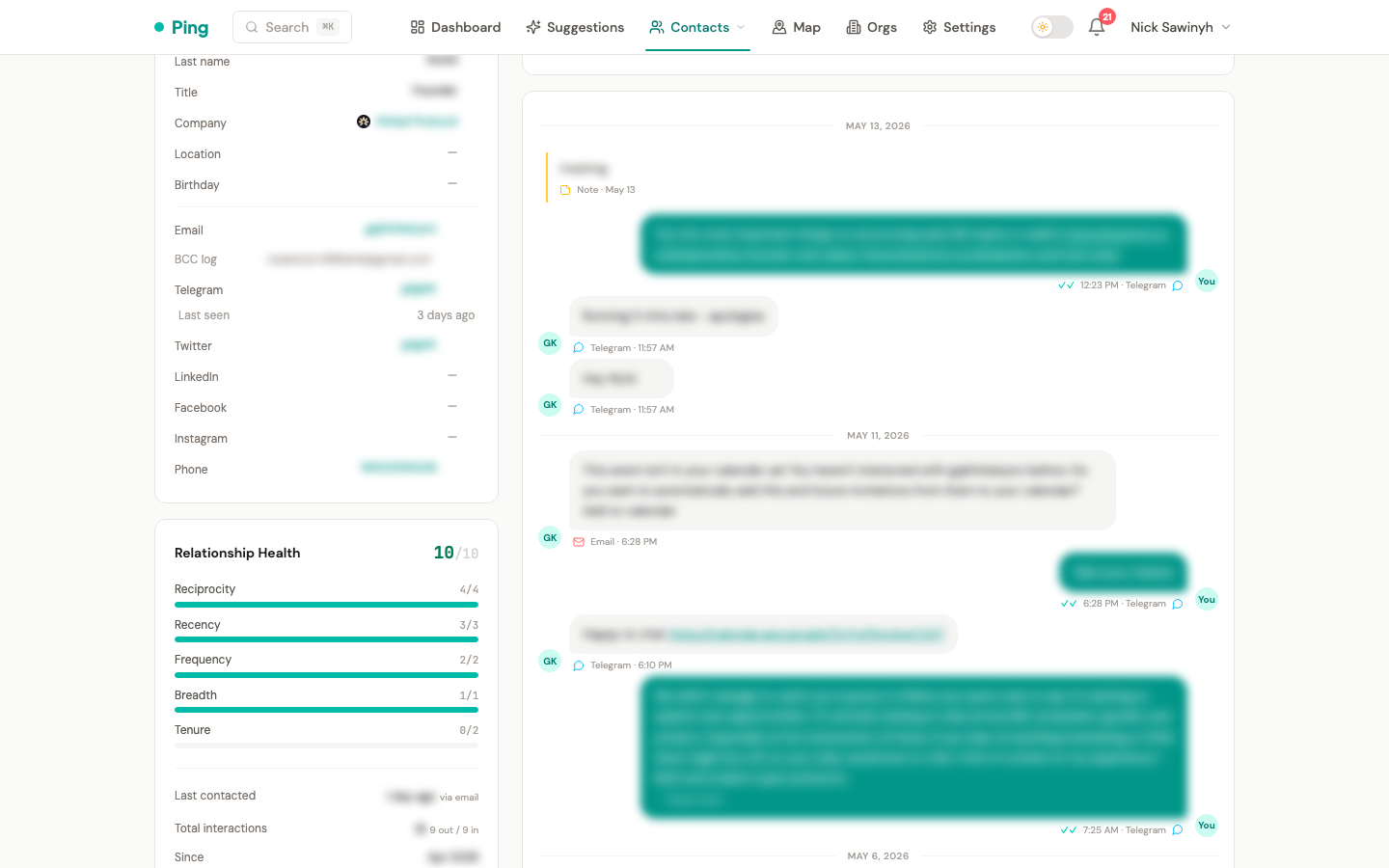
Messages longer than 400 characters are truncated with a "Show more" button to keep the timeline compact. Click to expand the full message.
Notes added manually can be edited or deleted directly from the timeline by hovering over the entry to reveal inline action buttons.
When new interactions are synced for a contact, any pending follow-up suggestions for that contact are automatically dismissed, since the sync itself represents a recent touchpoint.
Auto-Sync on Page Visit
Visiting a contact's detail page automatically triggers a background sync of Telegram and Twitter DMs for that contact, so the timeline is up to date without manual intervention.
Telegram Common Groups
A sidebar card displays Telegram groups shared with the contact, providing additional context for your relationship.
Duplicate Detection
The system detects potential duplicate contacts based on matching email addresses, names, and cross-platform identifiers. Duplicates can be reviewed and merged.
Contacts that share an exact email or phone are also auto-merged deterministically after Gmail, Telegram, LinkedIn, and Google Calendar syncs, so cross-source duplicates collapse on their own.
Apollo Enrichment
Fill in missing contact details using the Apollo People Match API. From the contact detail page, open the kebab menu and select Enrich with Apollo.
The enrichment:
- Looks up the contact by email (preferred) or LinkedIn URL.
- Only fills empty fields -- it never overwrites data you've already entered.
- Can populate: name, title, company, location, LinkedIn URL, Twitter handle, avatar, phone numbers, and email addresses.
The enrichment source is recorded and returned in the API response (source: "apollo"), along with the list of fields that were updated.
Setup: Set the APOLLO_API_KEY environment variable. Without it, the enrichment button is non-functional. See the Setup guide for details.
Magic Wand (AI Bio Extraction)
The magic wand button (wand icon in the Contact Details panel header) uses AI to extract structured data from a contact's bios and normalize messy name fields.
How it works:
- Click the wand icon in the Contact Details sidebar.
- The system collects the contact's Twitter bio, Telegram bio, LinkedIn bio/headline, and current name fields.
- These are sent to Claude Haiku, which returns structured JSON with extracted fields.
- The extracted data is applied to the contact and their linked organization.
What it extracts:
- Name normalization -- splits combined name fields like "Anders | LoopFi" into first name ("Anders") and company ("LoopFi").
- Title -- job title extracted from bios (e.g. "Head of BD" from a Twitter bio).
- Company -- company name, with automatic Organization creation/linking.
- Company details -- website, industry, and location are written to the Organization record.
- Organization logo -- if a website is extracted and the org has no logo, it downloads the favicon automatically.
Behavior:
- Name fields are always updated (to fix normalization issues).
- Title and company are only filled if currently empty.
- Organization fields (website, industry, location) are only filled if currently empty on the org.
- The button appears only when the contact has at least one bio or a name to process.
API: POST /api/v1/contacts/{contact_id}/extract-bio -- returns { fields_updated: [...], source: "ai_bio" }.
Rate Limit Handling
If the API returns a 429 (rate limit) response, the UI displays a countdown timer indicating when the next request can be made.
Importing Contacts
Four methods are available for adding contacts:
- CSV Upload -- bulk import from a CSV file with column mapping.
- LinkedIn CSV Import -- upload
Connections.csvfrom LinkedIn's data export. - Google Contacts Sync -- import contacts from your connected Google account.
- Manual Entry -- add contacts one at a time through the UI.
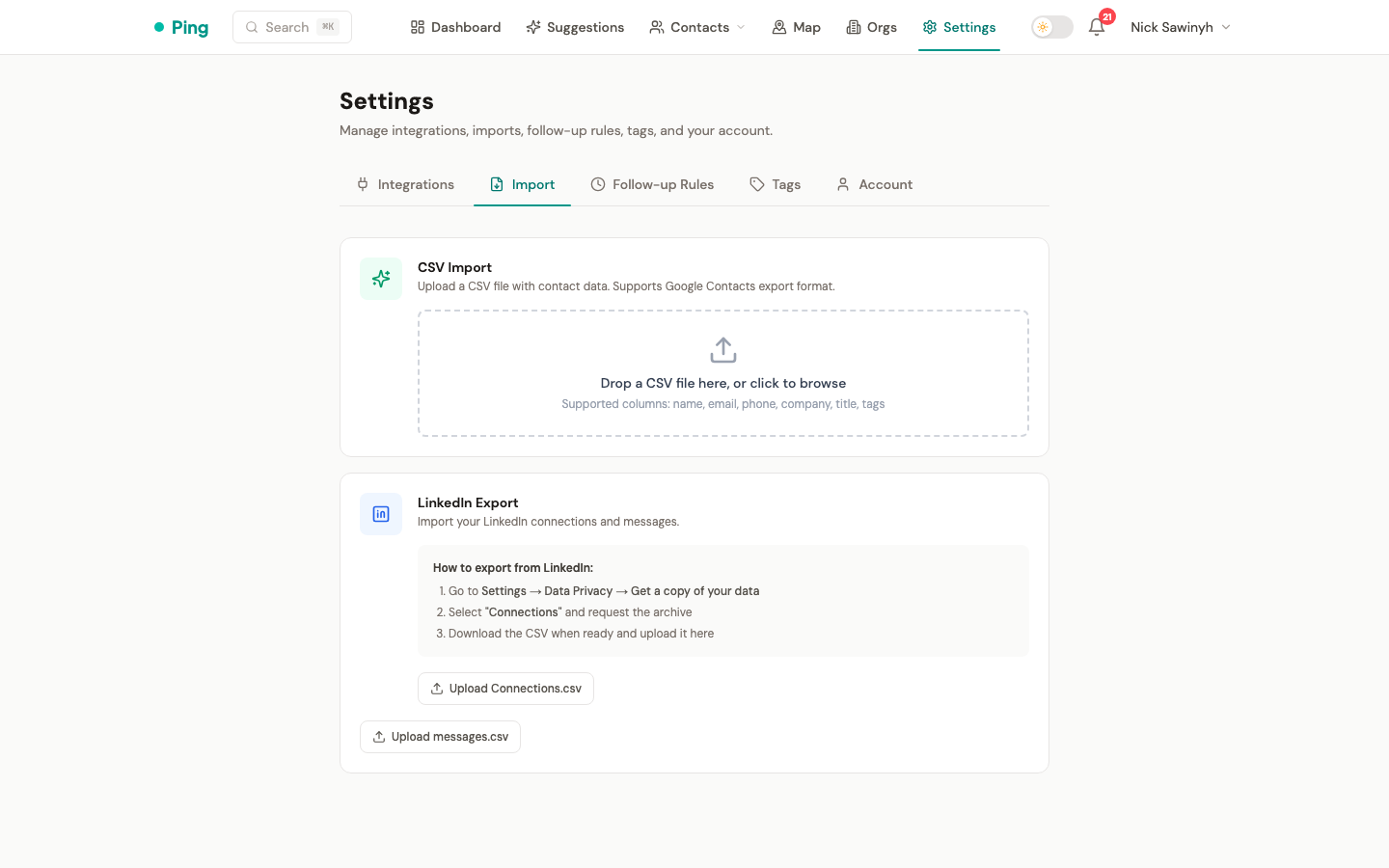
Additionally, the LinkedIn Chrome extension automatically creates contacts from your LinkedIn conversations during message sync.